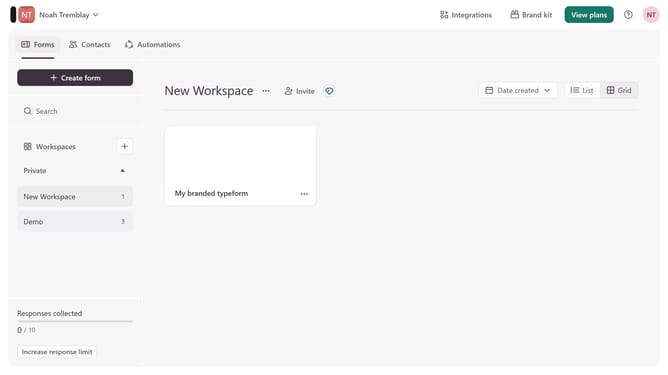
How to integrate a workspace to SMS via Lead generation in Typeform
Here is how to integrate a workspace to sms via lead generation in typeform
- First, click on a workspace in the left sidebar
- Then, click on the "Integrations" button in the top menu
- Next, click on the "Find an integration" button
- Then, click on the "Lead generation" category in the left sidebar
- Finally, click on the "SMS" integration
Why should you integrate a workspace to SMS via Lead generation in Typeform
Typeform is a versatile platform designed to create engaging forms and surveys that captivate audiences.
Integrating a workspace to SMS via lead generation in Typeform allows businesses to seamlessly capture leads and immediately connect with them through text messages.
This integration is beneficial as it enhances customer engagement and accelerates communication, fostering a quicker response rate and a more personalized touch.
Leveraging SMS for lead generation in Typeform maximizes efficiency, leading to greater outreach and improved customer relationship management.
Last update