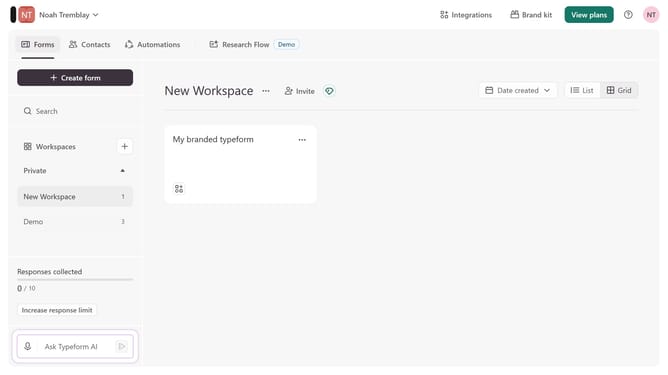
How to integrate a workspace to Notion via Productivity in Typeform
Here is how to integrate a workspace to notion via productivity in typeform
- First, click on a workspace in the left sidebar
- Then, click on the "Integrations" button in the top menu
- Next, click on the "Find an integration" button
- Then, click on the "Productivity" category in the left sidebar
- Finally, click on the "Notion" integration
Why should you integrate a workspace to Notion via Productivity in Typeform
Typeform transforms the way you collect and share information through beautifully designed forms and surveys.
Integrating a workspace to Notion via Productivity in Typeform elevates task management to a seamless experience. It bridges the gap between data collection and collaboration, creating a unified workflow.
This integration fosters efficiency, allowing you to streamline processes and enhance team productivity by providing real-time updates directly into Notion.
Overall, it empowers teams to make data-driven decisions effortlessly, connecting information and action with ease.
Last update