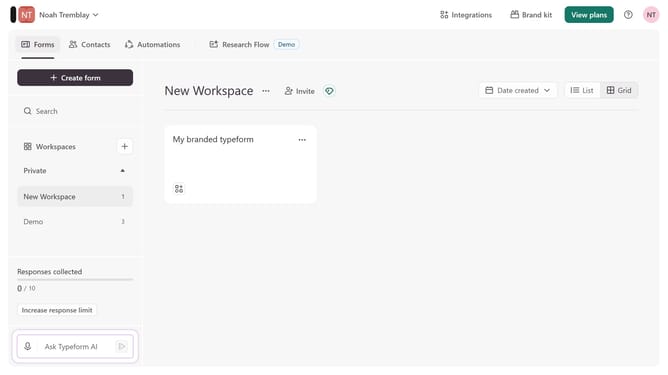
How to integrate a workspace to Hubspot via Marketing automation in Typeform
Here is how to integrate a workspace to hubspot via marketing automation in typeform
- First click on a workspace tab in the left sidebar
- Then click on "Integrations" button in the header
- Next, click on "Find an integration" button in the main content area
- After that, select "Marketing automation" from the categories list in the left sidebar
- Finally click on "Hubspot" integration in the main content
Why should you integrate a workspace to Hubspot via Marketing automation in Typeform
Typeform transforms data collection through engaging, conversational forms.
Integrating a workspace with HubSpot via Typeform's marketing automation is a seamless experience. This powerful feature enables smooth data syncing, enhancing workflow efficiency and ensuring that your CRM is always updated with the latest information.
The integration empowers businesses to effortlessly streamline their marketing processes, saving time and boosting productivity. With automated connections, teams can focus on higher-value tasks and make more informed decisions with real-time data insights.
Last update