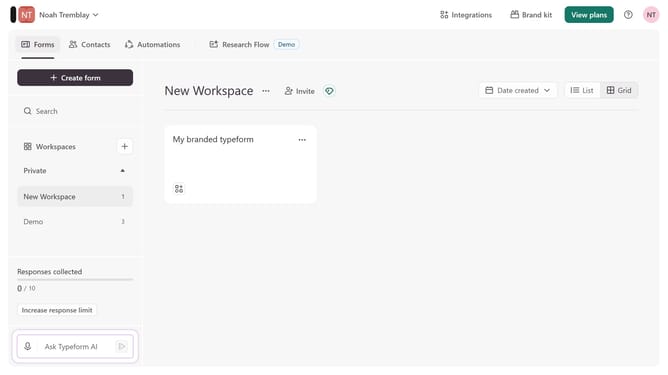
How to integrate a workspace to Dropbox via Documents in Typeform
Here is how to integrate a workspace to dropbox via documents in typeform
- First, click on a workspace in the left sidebar
- Then, click on the "Integrations" button in the top menu
- Next, click on the "Find an integration" button
- Then, click on the "Documents" category in the left sidebar
- Finally, click on the "Dropbox" integration
Why should you integrate a workspace to Dropbox via Documents in Typeform
Typeform is a versatile tool that transforms the way we create interactive forms and surveys.
Integrating a workspace to Dropbox through Documents in Typeform offers enhanced organization and seamless file management.
This integration ensures that all your important documents are automatically stored, easily accessible, and safely backed up in your preferred cloud storage.
Enjoy the peace of mind and efficiency that comes with streamlined data handling and secure storage.
Last update