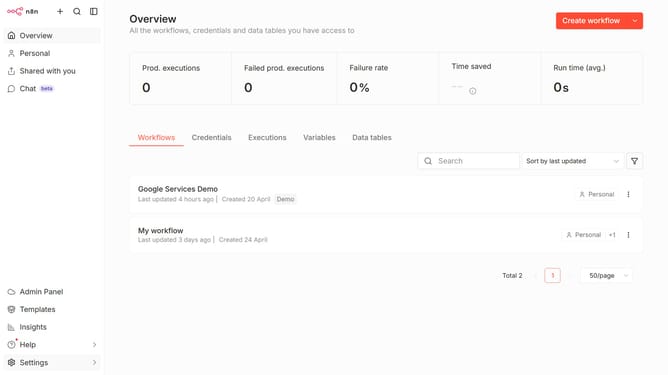
How to create Typeform OAuth2 API credential in n8n
Here is how to create typeform oauth2 api credential in n8n
- First click on the dropdown arrow next to "Create workflow" button
- Then click on "Create credential" option
- Next, click on the "Search for app..." input field
- After that, type "Typeform" in the search input and click on "Typeform OAuth2 API" option
- Then click on the "Continue" button
- Next, fill in the required credential details
- Finally click on the "Connect to Typeform" button
Why should you create Typeform OAuth2 API credential in n8n
n8n is a versatile workflow automation tool that empowers users to connect various applications without writing code.
Creating Typeform OAuth2 API credentials within n8n streamlines the process of integrating Typeform surveys with your automation workflows.
By leveraging this feature, users can seamlessly gather and utilize survey data, enhancing operational efficiency and data-driven decision making. This streamlined connection fosters better engagement and enriched insights, making your automation tasks more fluid and data-rich.
Last update