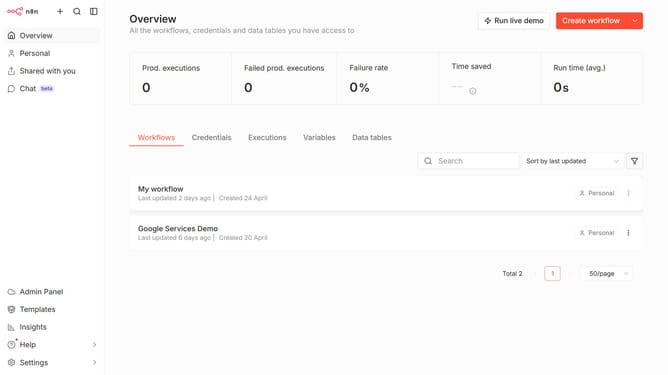
How to create Airtable API credential in n8n
Here is how to create airtable api credential in n8n
- First click on the dropdown arrow next to "Create workflow" in the header.
- Then click on "Create credential" in the dropdown menu.
- Next, select "Airtable API" from the list of apps.
- Then click on the "Continue" button.
- Click on the input field to enter the API Key.
- Finally click on the "Save" button.
Why should you create Airtable API credential in n8n
n8n is a powerful tool designed to automate workflows effortlessly across multiple platforms.
Creating Airtable API credentials in n8n is a seamless process that opens doors to efficient data management. By generating these credentials, users can effortlessly integrate Airtable's robust features with n8n’s automation capabilities.
This integration allows for smooth connectivity and data flow, enhancing productivity by minimizing manual tasks and ensuring real-time synchronization across systems. The ability to manage data reliably and efficiently in a streamlined way is a key benefit, making operations more efficient.
Last update