Close
Close is a sales CRM platform for inside sales teams to manage leads, calls, and email outreach.
Website
Industry
Leadgen
Share this article:

How to connect email via SMTP on Close.com

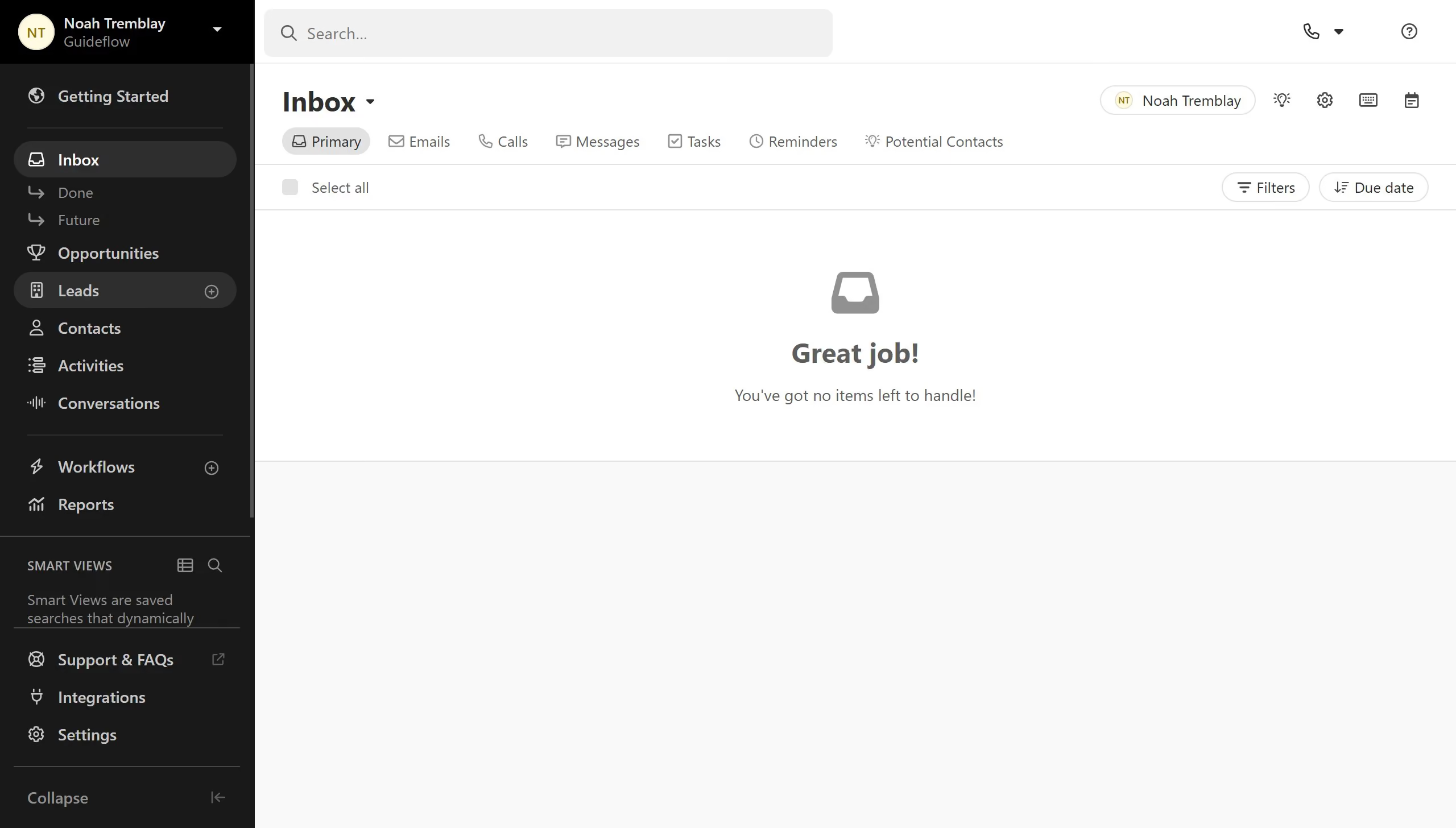
Here is how to connect email via smtp on close.com

  1. First click on "Settings" in the left sidebar
  2. Scroll down and click on "Accounts & Apps" in the settings menu under Connect
  3. Next click on "Add Account" button in the top right of the main content area
  4. Then select "Custom Email" option from the account type list in the dialog
  5. Click the Next button to proceed with connecting your email account.
  6. Enter the SMTP settings given by your email provider
  7. Finally click the Save button to confirm your email server settings.

Create your own interactive guide with Guideflow

Why should you connect email via SMTP on Close.com

Close is a dynamic CRM platform designed for fast-growing sales teams aiming to enhance productivity and streamline customer interactions.

Connecting your email via SMTP on Close.com offers a seamless integration that boosts your communication efficiency and maintains your email identity across all sales channels.

This feature allows you to send emails directly from your domain, ensuring that your brand remains at the forefront of every exchange.

By integrating SMTP, you enhance deliverability, reduce the chances of emails landing in spam folders, and bolster your team's outreach efforts all within the intuitive Close.com interface.

Last update
May 6, 2026
Cursor MariaA cursor points to a button labeled "James."

Create your first demo in less than 30 seconds.