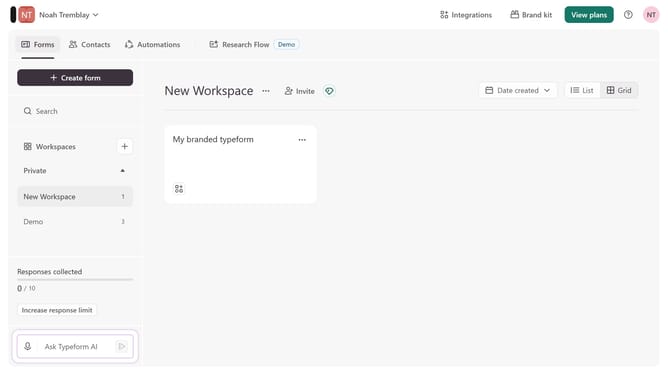
How to connect a form to Asana via Zapier in Typeform
Here is how to connect a form to asana via zapier in typeform
- First click on a workspace in the left sidebar
- Then click on the "..." menu icon
- Then click on the "Connect" option in the dropdown menu
- Finally click on the "Connect" button for "Asana via Zapier"
Why should you connect a form to Asana via Zapier in Typeform
Typeform revolutionizes the way you collect information, creating visually appealing and engaging forms.
With Zapier, connecting a Typeform to Asana transforms submitted responses into actionable tasks. This seamless integration ensures that every form submission directly updates your project workflow, minimizing manual data entry and potential errors.
Using Typeform, Zapier, and Asana together optimizes productivity, making task management streamlined and synchronized. This powerful trio enhances efficiency, allowing teams to focus more on creativity and innovation rather than administrative tasks.
Last update