How to add a Multiple Choice content to an existing typeform in Typeform
Here is how to add a multiple choice content to an existing typeform in typeform
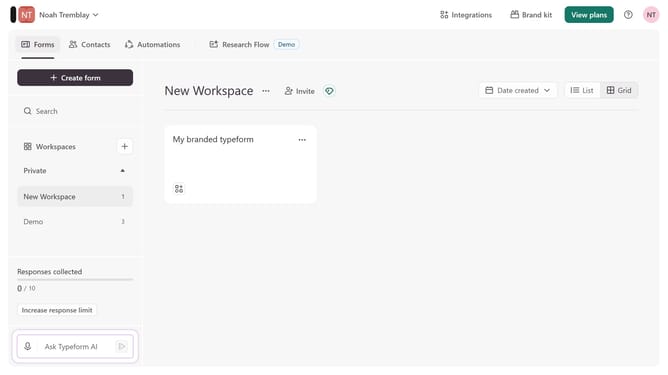
- First click on the a workspace item in the sidebar
- Then click on the "..." icon next to a chosen Typeform
- Then select "Content" from the dropdown menu
- Then click on the "+ Add content" button
- Finally select "Multiple Choice" from the "Choice" section
Why should you add a Multiple Choice content to an existing typeform in Typeform
Typeform transforms data collection into an engaging conversational experience.
Adding a Multiple Choice question to an existing typeform enriches its interactivity, offering your audience intuitive ways to respond.
With this feature, you engage users by allowing them to select from predefined options, streamlining analysis and ensuring precise data.
This approach simplifies decision-making, giving you quick insights that can translate into meaningful actions and strategies.
Last update