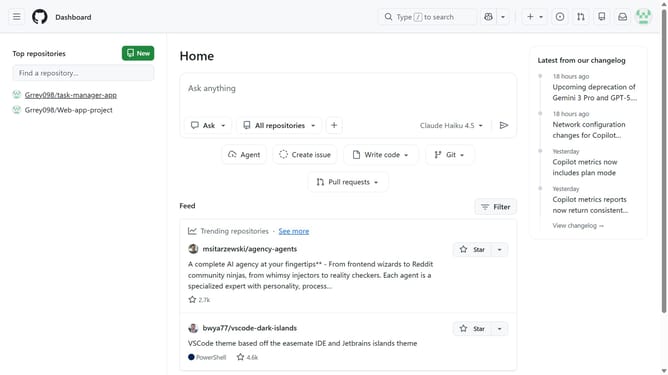
How to access Copilot Chat from the GitHub dashboard
Here is how to access copilot chat from the github dashboard
- First go to the dashboard at https://github.com
- Next click on the prompt box in the main content area
- Then type a question and press "Enter"
- Finally you will be taken to Copilot Chat where Copilot responds to your request
Why should you access Copilot Chat from the GitHub dashboard
GitHub is a powerful platform designed to facilitate seamless collaboration and code management for developers worldwide.
Accessing Copilot Chat directly from the GitHub dashboard elevates this experience by providing intuitive support and quick solutions within your coding environment.
This feature ensures you spend less time on troubleshooting and more on creating impactful projects, as it enhances productivity by integrating AI-powered assistance seamlessly.
With Copilot Chat accessible, developers enjoy a smooth coding process enriched with the insights and suggestions they need, precisely when they need them.
Last update