How to integrate Knock2 in Attio
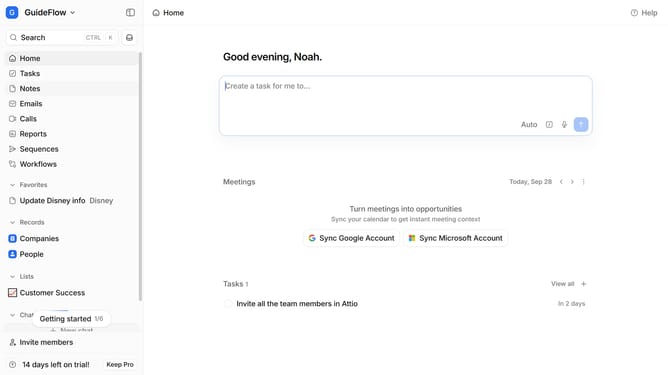
Here is how to integrate knock2 in attio
- First click on the company name dropdown button in the header
- Then click on the "Apps and integrations" option in the left sidebar
- Next, click on the "Data and enrichment" option within the sidebar menu
- After that, click on the "View All" button to see more apps under the "Data and enrichment" section
- Next, click on the "Knock2" app card to select it
- Finally, click the “Install” button, log in to your Knock2 account, and continue with the configuration to complete the integration
Why should you How to integrate Knock2 in Attio
Attio is a dynamic workspace designed to revolutionize how teams manage relationships and workflows.
Integrating Knock2 with Attio enhances communication efficiency by seamlessly syncing notifications and alerts within your workspace.
This integration empowers users to stay informed about critical updates without switching platforms, ensuring teams are always aligned.
By integrating Knock2, users benefit from streamlined operations, improved responsiveness, and a more connected team environment, driving productivity and collaboration.
Last update