How to integrate a workspace to Zapier via Documents in Typeform
Here is how to integrate a workspace to zapier via documents in typeform
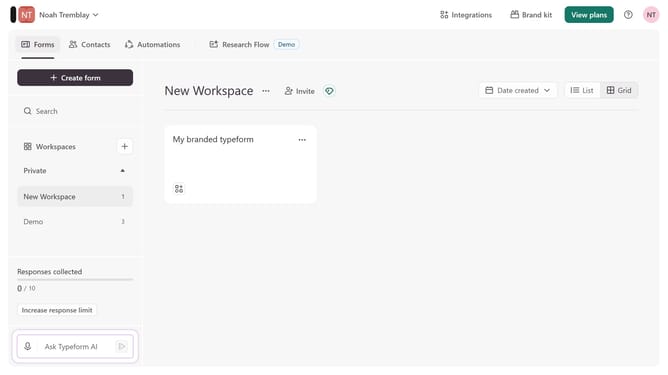
- First, click on a workspace in the left sidebar
- Then, click on the "Integrations" button in the top menu
- Next, click on the "Find an integration" button
- Then, click on the "Documents" category in the left sidebar
- Finally, click on the "Zapier" integration
Why should you integrate a workspace to Zapier via Documents in Typeform
Typeform redefines data collection with interactive, personalized forms that engage and delight users.
Integrating a workspace to Zapier via Documents in Typeform is seamless and efficient, empowering users to automate workflows effortlessly.
This integration leverages Typeform's dynamic capabilities to enhance productivity by enabling automatic data sharing across applications.
With this feature, businesses can streamline operations, reduce manual tasks, and foster a more connected and responsive digital environment.
Last update