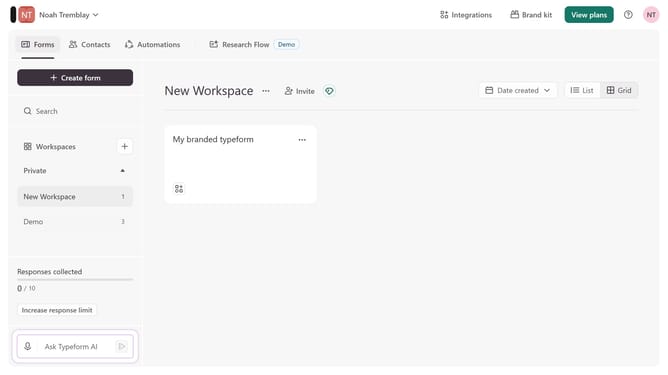
How to integrate a workspace to Zapier via Analytics & reporting in Typeform
Here is how to integrate a workspace to zapier via analytics & reporting in typeform
- First click on a workspace item in the sidebar
- Then click on "Integrations" button in the header
- Then click on "Find an integration" button
- Then click on "Analytics & reporting" item in the sidebar
- Finally click on "Zapier" item
Why should you integrate a workspace to Zapier via Analytics & reporting in Typeform
Typeform transforms how you gather and analyze data through interactive, conversation-like surveys and forms.
Integrating a workspace to Zapier with Analytics & reporting in Typeform allows for seamless automation and insights delivery. This powerful combination significantly streamlines workflow processes, saving time and enhancing productivity.
Using this feature, you can automatically channel responses to various platforms, ensuring real-time data access and comprehensive reporting across your preferred tools. The outcome is a more efficient, data-driven decision-making process.
Last update