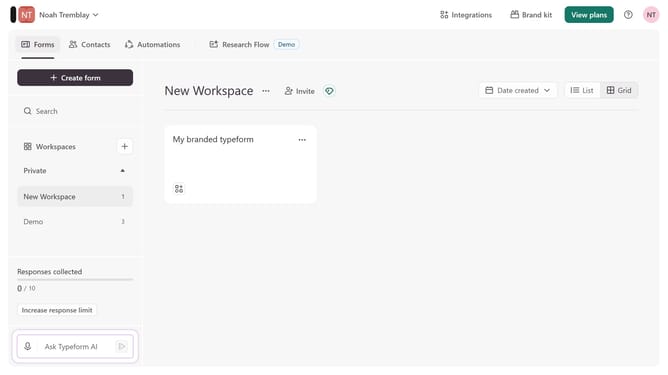
How to integrate a workspace to Outlook through Zapier via Lead generation in Typeform
Here is how to integrate a workspace to outlook through zapier via lead generation in typeform
- First, click on a workspace in the left sidebar
- Then, click on the "Integrations" button in the top menu
- Next, click on the "Find an integration" button
- Then, click on the "Analytics & reporting" category in the left sidebar
- Finally, click on the "Outlook" integration
Why should you integrate a workspace to Outlook through Zapier via Lead generation in Typeform
Typeform is an intuitive tool designed to create engaging and interactive online forms.
Integrating your workspace with Outlook through Zapier, using Lead Generation in Typeform, streamlines communication with your prospects and clients. By automating the process, it ensures that new leads captured via Typeform are seamlessly updated in Outlook, enhancing productivity.
This integration empowers businesses to maintain an organized and efficient workflow. It reduces manual data entry, allowing teams to dedicate more time to nurturing relationships and driving their business forward.
Last update