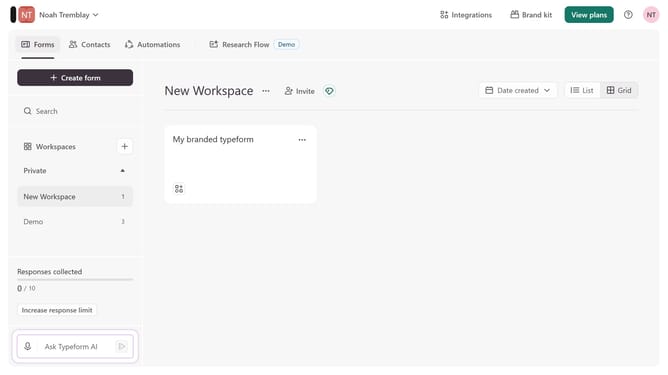
How to integrate a workspace to Outlook through Zapier in Typeform
Here is how to integrate a workspace to outlook through zapier in typeform
- First, click on a workspace in the left sidebar
- Then, click on the "Integrations" button in the top menu
- Next, click on the "Find an integration" button
- Then, click on the "Analytics & reporting" category in the left sidebar
- Finally, click on the "Outlook" integration
Why should you integrate a workspace to Outlook through Zapier in Typeform
Typeform transforms data collection into an engaging experience, creating intuitive and interactive forms.
Integrating a workspace to Outlook through Zapier in Typeform empowers seamless communication and workflow automation. By connecting Outlook, users ensure that important Typeform data flows directly into their email system with no manual intervention.
This integration enhances productivity by ensuring timely responses and organized information. It streamlines tasks, reduces errors, and allows teams to collaborate more effectively by keeping everyone updated. Harnessing Zapier with Typeform and Outlook creates a better-connected workspace.
Last update