How to edit a workflow in a typeform in Typeform
Here is how to edit a workflow in a typeform in typeform
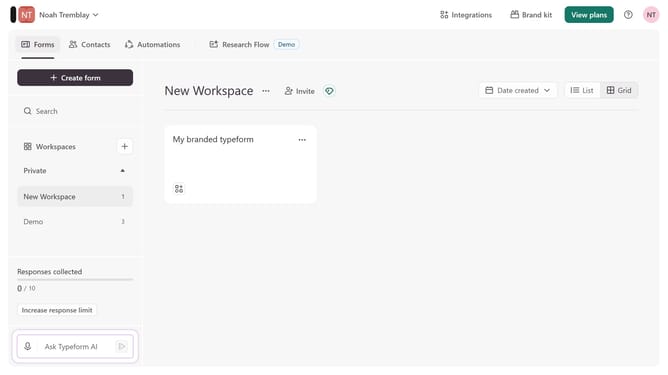
- First, click on the a workspace item in the sidebar
- Then, click on the "..." button
- Next, select "Workflow" from the dropdown menu
- Then, edit your workflow accordingly in the workflow editor
- Finally, click on the "Publish edits" button to save your changes
Why should you edit a workflow in a typeform in Typeform
Typeform revolutionizes how you collect and interact with data through engaging, conversational forms.
Editing a workflow in a Typeform is a seamless process designed to enhance adaptability and efficiency. By fine-tuning your form's workflow, you ensure a smoother user experience, encouraging higher completion rates.
This flexibility allows users to customize their journeys, making each interaction meaningful and impactful. Simplifying changes and updates, Typeform empowers you to continuously improve and personalize data collection, tailoring it perfectly to your needs.
Last update