

Your roadmap says the feature ships in Q2. Your engineers are already at 120% allocation. Two designers are on the same critical path. Nobody flagged it until standup, and now the release date is a guess dressed up as a commitment.
Spreadsheets got you this far. They stop working the moment three teams share the same people, priorities shift mid-sprint, and someone asks the question you can't answer fast: is this deadline realistic? Capacity planning software exists to close that gap. It maps demand against available time, skills, and team bandwidth, so you can see who is overallocated before it becomes a delivery risk.
The category is growing for a reason. The broader capacity management market is forecast to expand from USD 2.19B in 2025 to USD 6.9B by 2033, a 15.4% CAGR according to SkyQuest (2024). More teams are moving off manual tracking because the cost of guessing wrong keeps rising.
This guide is written for product managers and cross-functional delivery teams, not just resource schedulers. If you spend your week balancing roadmap tradeoffs against real team availability, you already know the problem is not scheduling. It is planning realism. If you're also mapping out the broader operational stack, our roundups on marketing resource management software and event management software cover adjacent planning categories worth a look.
What's inside
This is a practical shortlist of eight capacity planning tools, evaluated for how well they help teams answer real planning questions: who is overallocated, where the bottlenecks are, and whether the timeline holds. We chose tools based on four criteria: depth of workload visibility, scenario and what-if planning, integration with existing delivery and data stacks, and fit across team size and planning maturity. Every entry includes verified pricing, a G2 rating where available, and clear guidance on the persona it fits best.
TL;DR
- Best for multi-project forecasting: Epicflow, with AI-driven prioritization and what-if scenario planning across shared resources.
- Best all-in-one for services teams: Productive, combining capacity planning, time tracking, and budgeting.
- Best for enterprise workforce planning: Workday Adaptive Planning, with driver-based modeling and HCM data.
- Best inside agile delivery: Jira, with timeline views and advanced roadmaps for product teams.
- Best for fast visual scheduling: Float, for small to mid-size teams that want capacity clarity quickly.
- Best flexible workhorse: Smartsheet, for teams that want structure without heavy implementation.
What is capacity planning software?
Capacity planning software is a tool that maps projected demand (projects, tasks, and roadmap commitments) against the available capacity of a team, measured in time, skills, and headcount, so organizations can plan realistic delivery without overloading people.
It goes beyond a task board. Where project management tools track what needs doing, capacity planning tools answer whether the people you have can actually do it in the time you have. That distinction matters most when demand is variable and resources are shared across teams.
Core capabilities to expect:
- Resource capacity planning: A live view of who is available, who is booked, and by how much across a given window.
- Workload visibility: Clear signals when someone is overallocated or underused, usually surfaced in a timeline or Gantt view.
- Scenario planning: What-if modeling so you can test staffing changes, deadline shifts, or new projects before committing.
- Skills and demand planning: Matching required skills to available people, and forecasting future demand against current capacity.
- Utilization tracking: Reporting on billable versus non-billable time, planned versus actual, and team-level utilization rates.
- Integrations and analytics: Connections into project management, HR, finance, and analytics systems so planning decisions rest on real data.
The best capacity management tools reduce the manual coordination that eats a planning cycle. Instead of reconciling five spreadsheets, you get one view that updates as priorities move.
When to use capacity planning software
Coordinate delivery across product, design, and engineering
When a single feature depends on three teams and they all share people, a spreadsheet cannot keep up. Capacity planning software shows you the shared dependencies before they collide. For product managers running release cadence against fixed headcount, this is where a capacity planning tool earns its place.
Reforecast when priorities change
Priorities shift. A new customer commitment lands, an executive reprioritizes, an engineer leaves. Scenario planning lets you model the impact in minutes instead of guessing. You can see which deadlines slip and which teams absorb the hit before you commit to anything publicly.
Prevent overallocation and burnout
Overallocation is invisible until someone burns out or a deadline slips. Workforce capacity planning software surfaces the warning signs early: consistent overbooking, no slack for support work, one person on every critical path. Catching that pattern is cheaper than backfilling a role.
Comparison table
Here is how the eight tools compare on intent, differentiation, pricing, and [G2 rating. Use it as a fast scan before the detailed sections below.
| # | Product | Intent | Key differentiation | Pricing | G2](https://www.g2.com/products/epicflow/reviews) rating |
|---|---|---|---|---|---|
| 1 | Epicflow | Multi-project resource and portfolio planning | AI prioritization and what-if scenario planning across shared resources | From €22.5/user/mo (billed annually) | 4.4/5 |
| 2 | Productive | All-in-one services delivery and resourcing | Capacity planning, time tracking, and budgeting in one platform | From $10/user/mo (billed yearly) | 4.6/5 |
| 3 | Workday Adaptive Planning | Enterprise workforce and financial planning | Driver-based modeling with HCM and finance data | Quote-based | 4.3/5 |
| 4 | Jira | Capacity planning inside agile delivery | Timeline views and advanced roadmaps for product teams | Free; Standard from $7.91/user/mo | 4.3/5 |
| 5 | Kantata | Professional services automation | Resourcing, forecasting, and project financials | Quote-based | 4.2/5 |
| 6 | Float | Fast visual resource scheduling | Quick-scan timeline scheduling and profitability tracking | From $7/scheduled person/mo | Not listed |
| 7 | Smartsheet | Flexible spreadsheet-style work management | Multiple views, automation, and low-friction setup | From $12/member/mo | 4.4/5 |
| 8 | Saviom | Enterprise resource and workforce planning | Configurable forecasting and skills-based allocation | Quote-based | 4.5/5 |
1. Epicflow
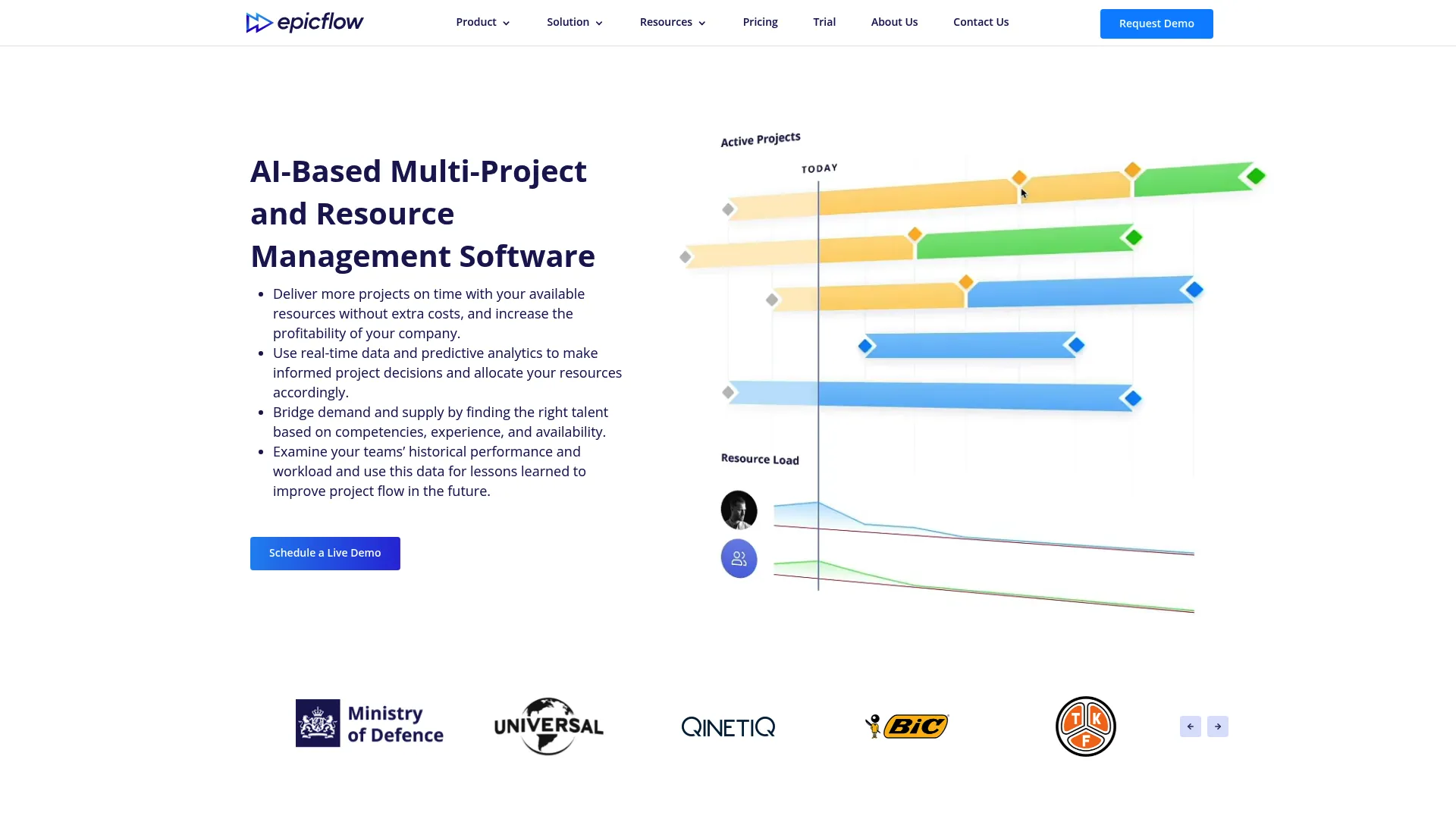
Epicflow is AI-driven multi-project resource and portfolio management software built for organizations juggling many concurrent projects that draw on the same people. It automatically prioritizes tasks across projects, balances workload, and forecasts where bottlenecks will form before they stall delivery. For teams that live in portfolio complexity, it treats capacity as a system-wide constraint, not a per-project afterthought.
Best for: Organizations managing multiple concurrent projects with shared resources.
Key strengths
- Cross-project prioritization: Automatically sequences tasks across projects so shared resources work on what matters most.
- Workload balancing: Surfaces overallocation and rebalances capacity across teams in real time.
- What-if scenario planning: AI-based forecasting lets you model staffing and deadline changes before committing.
Why choose Epicflow: If your planning pain is not one project but the interaction between many, Epicflow is built for that reality. Product and portfolio leaders who need to predict due-date feasibility across a shared team get more value here than from a single-project scheduler. It rewards teams with genuine multi-project complexity.
Epicflow pricing: The Growth plan starts at €22.5 per user per month billed annually, or €25 per person per month billed monthly, and covers 20 to 50 users with real-time planning, capacity planning, workload management, and due-date feasibility prediction. The Enterprise plan (50 to unlimited users) adds portfolio adjustment, training, and AI step-by-step support, with pricing on request. There is no free tier. Epicflow holds a 4.4/5 rating on G2.
2. Productive
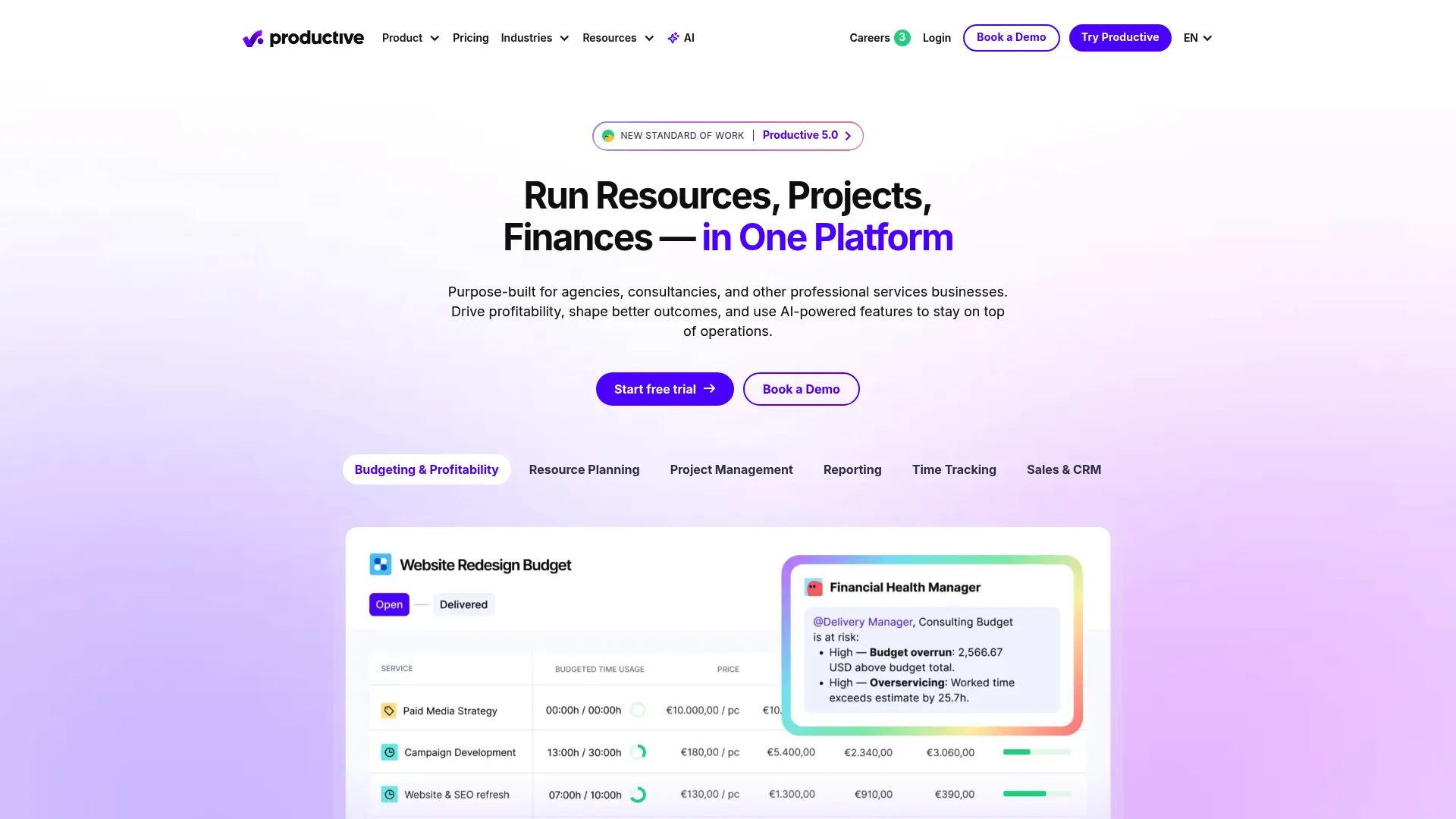
Productive is professional services automation software that combines capacity planning, resourcing, time tracking, and budgeting in one platform. Instead of stitching together separate tools for delivery and finance, agencies and service teams get utilization planning alongside project profitability in a single view. That consolidation is the point: fewer tabs, less reconciliation, one source of truth for who is doing what and what it costs.
Best for: Agencies and professional services firms that need unified delivery, resourcing, and financial tracking.
Key strengths
- Unified resource planning: Capacity, project, and task management sit together, so plans reflect real availability.
- Financial oversight: Budgeting, time tracking, and invoicing workflows tie utilization to margin.
- AI and reporting intelligence: An AI assistant and reporting tools surface trends without manual data pulls.
Why choose Productive: Choose Productive when planning and financial oversight belong in the same place. For services leaders who need to know both whether the team has bandwidth and whether the work is profitable, splitting those questions across tools creates blind spots. Productive keeps them connected.
Productive pricing: The Essential plan starts at $10 per user per month billed yearly. Professional runs $25 per user per month and Ultimate $33 per user per month, both billed yearly. All plans require at least three seats. There is a 14-day free trial with no credit card required, though no permanent free tier. Productive earns a 4.6/5 rating on G2, the highest in this roundup.
3. Workday Adaptive Planning
Workday Adaptive Planning is AI-powered enterprise performance management software for financial, workforce, and operational planning. It brings driver-based modeling, scenario planning, and reporting together, and its real strength is the shared data layer that connects workforce capacity to finance and HCM. For enterprises where headcount planning has to reconcile with the budget, that connection removes a lot of manual spreadsheet gymnastics.
Best for: Mid-market and enterprise finance teams needing continuous planning and forecasting.
Key strengths
- Driver-based modeling: Plans built on business drivers, not static assumptions, so forecasts update as inputs change.
- Scenario planning: Model workforce and financial scenarios side by side to test staffing decisions against budget.
- Unified data: Financial, workforce, and operational planning share one platform with HCM integration.
Why choose Workday Adaptive Planning: Choose it when capacity planning is inseparable from financial planning at scale. Skills allocation and headcount forecasting mean more when they connect directly to budget and HR data. This fits larger organizations with dedicated finance and workforce planning functions, not small teams.
Workday Adaptive Planning pricing: Pricing is quote-based and not publicly listed; the pricing page shows "Pricing varies" and a request-a-quote path for both the core product and the Close & Consolidation package. A 30-day free trial is available. It holds a 4.3/5 rating on G2.
4. Jira

Jira is project and issue tracking software that handles capacity planning inside the delivery workflow product teams already use. Through timeline views and advanced roadmaps, it lets agile teams balance workload against sprint capacity without leaving the tool where the work lives. For product managers running against release cadence, keeping planning and execution in one system reduces the coordination tax of switching contexts.
Best for: Teams that need flexible agile project tracking and issue management at scale.
Key strengths
- Advanced roadmaps: Timeline and Gantt-style views map capacity against sprints and releases.
- Customizable workflows: Fields, permissions, and boards adapt to how each team plans and delivers.
- Deep ecosystem: 3000+ marketplace integrations plus SAML/SSO connect planning to the wider stack.
Why choose Jira: Choose Jira when your team already runs delivery here and you want capacity planning in the same place. The tradeoff is that dedicated resource planning depth lives in add-ons and marketplace apps rather than out of the box. For agile product teams, that ecosystem flexibility is usually a feature, not a limitation.
Jira pricing: The Free plan covers up to 10 users. Standard is $7.91 per user per month and Premium is $14.54 per user per month, both with publicly listed prices. Enterprise pricing is by contact. Jira holds a 4.3/5 rating on G2.
5. Kantata
Kantata is AI-powered professional services automation software for project, resource, and financial management. It centers on services-style capacity planning: resourcing, forecasting, and project portfolio visibility, all tied to project financials. For firms that bill for their people's time, matching the right person to the right project at the right utilization is the whole game, and Kantata is built around that.
Best for: Professional services teams that need PSA, resourcing, and project financial visibility.
Key strengths
- Resource management and forecasting: Match skills and availability to demand, then forecast utilization forward.
- Project financials: Time, expense, and billing connect resourcing decisions to margin.
- Reporting and dashboards: Portfolio-level visibility into utilization, capacity, and project health.
Why choose Kantata: Choose Kantata when professional services delivery and financial visibility need to live together at scale. Teams that need to forecast utilization and protect margin across a project portfolio get purpose-built depth here. It suits established services organizations more than lightweight teams.
Kantata pricing: Kantata does not publish pricing; the site directs buyers to request a custom quote based on requirements. It holds a 4.2/5 rating on G2.
6. Float
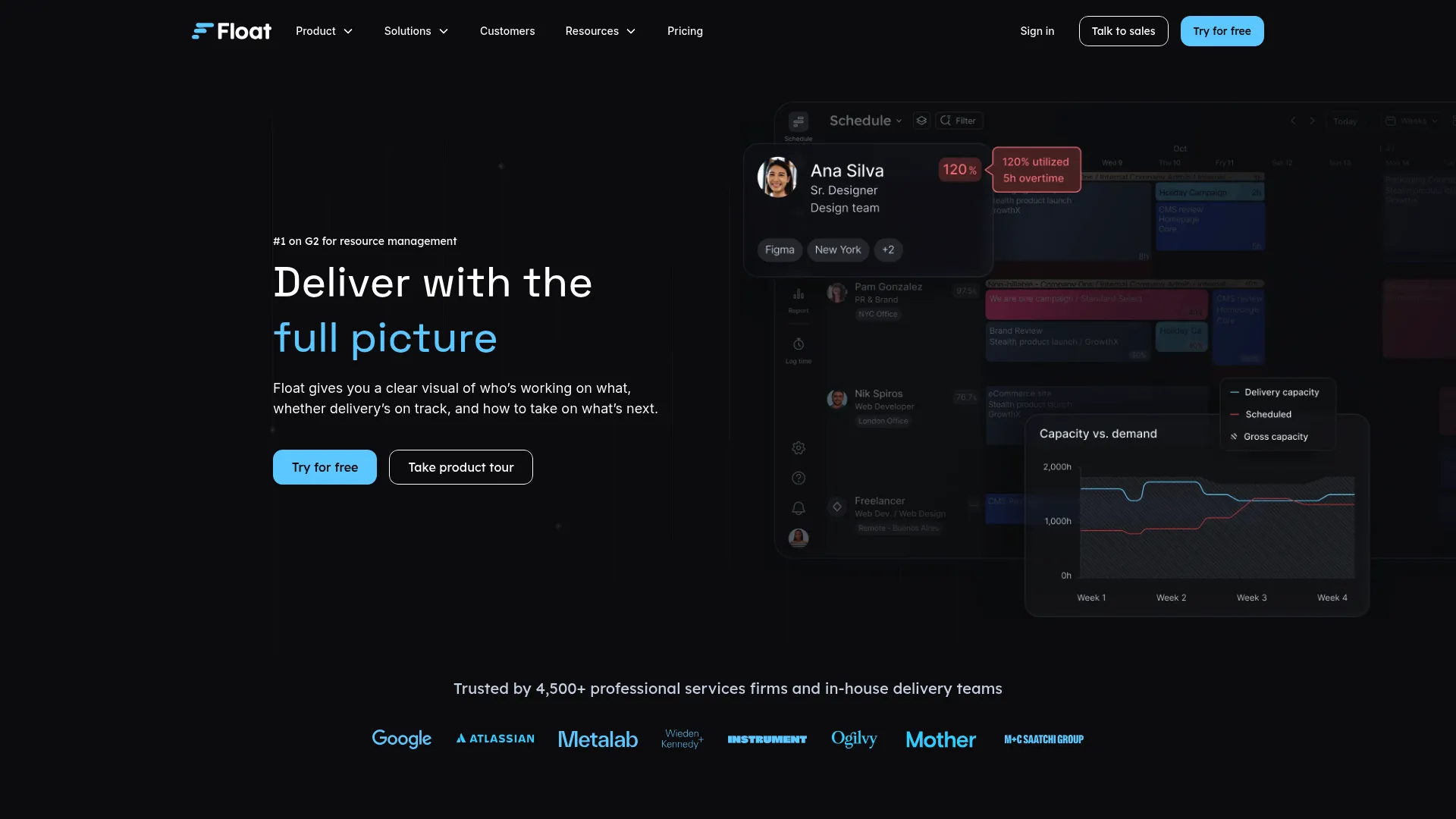
Float is resource management and team scheduling software built for fast, visual capacity planning. Its timeline view makes team allocation and time-off scan-able at a glance, which is exactly what smaller and mid-size teams want when they need clarity without a heavy rollout. It pairs scheduling with project scoping and profitability reporting, so capacity decisions connect to margin.
Best for: Agencies and delivery teams that need scheduling plus project profitability visibility.
Key strengths
- Visual scheduling: A clean timeline view shows capacity, bookings, and time-off at a glance.
- Project scoping: Estimates and actuals tracking keep plans grounded in reality.
- Profitability reporting: Margin and finance dashboards tie scheduling to project economics.
Why choose Float: Choose Float when speed and clarity matter more than deep enterprise configuration. For teams that want workload visibility this week, not after a quarter-long implementation, Float delivers fast. It is a strong fit for small to mid-size teams and agencies.
Float pricing: The Starter plan is $7 per scheduled person per month and Pro is $12 per scheduled person per month. Enterprise pricing is by request. A 30-day free trial is available on the Pro plan. Float does not have a G2 rating listed on its reviews page, though third-party sources report strong scores.
7. Smartsheet
Smartsheet is an intelligent work management platform that brings spreadsheet-style familiarity to capacity planning, with automation and collaboration layered on top. Teams that think in rows and columns get structure without a steep learning curve, plus Gantt, calendar, timeline, and board views when the grid is not enough. Its flexibility makes it a fit for cross-team coordination where a rigid tool would create friction.
Best for: Teams that need flexible work management, project tracking, and automation at scale.
Key strengths
- Multiple views: Grid, Gantt, calendar, board, timeline, and table views suit different planning styles.
- Automation and AI: Rules and AI features cut the manual updates that slow planning cycles.
- Dashboards and reporting: Roll-up reporting and dashboards give leaders cross-team workload visibility.
Why choose Smartsheet: Choose Smartsheet when you want structure without heavy implementation and your team is comfortable in a spreadsheet paradigm. It is template-friendly and quick to stand up, which suits teams migrating off manual spreadsheets. The tradeoff is that dedicated resource capacity depth is lighter than in purpose-built tools.
Smartsheet pricing: The Pro plan starts at $12 per member per month and Business at $24 per member per month. Enterprise and Advanced Work Management tiers are custom-priced. Smartsheet offers a free trial and a free plan. It holds a 4.4/5 rating on G2.
8. Saviom

Saviom is enterprise resource management and workforce planning software built for scale and configurability. It handles forecasting, skills-based allocation, and utilization tracking with the governance controls larger organizations need. Where lighter tools stop at scheduling, Saviom leans into demand forecasting and capacity modeling across a large, distributed workforce.
Best for: Organizations needing configurable enterprise resource and workforce planning.
Key strengths
- Forecasting and capacity planning: Project future demand against current capacity to plan hiring and allocation.
- Skills-based allocation: Match people to work by skill, not just availability, across a large workforce.
- Real-time BI and dashboards: Utilization and capacity data surface in configurable dashboards.
Why choose Saviom: Choose Saviom when enterprise-scale workforce planning demands heavy configuration and governance. Organizations with complex staffing, skills, and utilization requirements get the depth and flexibility to model their reality. It is built for scale rather than quick setup.
Saviom pricing: Saviom uses quote-based pricing across its Power, Lite, and Non-User license types, provided on request based on license count and product requirements. It shows a 4.5/5 rating on G2, though from a small review base.
Considerations before you buy
Before you commit, run your shortlist against the criteria that actually predict whether a tool sticks.
Depth of workload visibility
Look for a live view that flags overallocation before it becomes a delivery risk, not a static report you have to build. Test whether the timeline view surfaces shared-resource conflicts across teams, since that is where most planning surprises come from.
Scenario and what-if planning
The real value of capacity planning is answering "what happens if" without committing first. Check how fast you can model a deadline shift, a new project, or a departure, and whether the tool shows the downstream impact clearly.
Integration with your data stack
A planning tool that lives outside your delivery and data systems creates the same manual reconciliation you are trying to escape. Verify integrations with your project management, HR, finance, and analytics platforms before you buy, and check how deep those integrations run.
Fit for team size and maturity
Enterprise tools can overwhelm a small team, and lightweight tools break down at portfolio scale. Match the tool to your planning maturity today, with room to grow. A 10-person product team and a 500-person services firm need very different things from the same category.
Conclusion
The right capacity planning tool depends on your scale, your motion, and how tangled your resource sharing is. For multi-project forecasting where bottlenecks form across shared teams, Epicflow is built for that complexity. Services and agency teams that need capacity, time tracking, and budgeting in one place should start with Productive. Enterprises tying workforce planning to finance will get the most from Workday Adaptive Planning, and Saviom fits organizations that need heavy configuration and governance.
If your delivery already runs in agile workflows, Jira keeps planning where the work lives. Kantata suits professional services firms protecting margin across a portfolio, Float wins on fast visual scheduling for smaller teams, and Smartsheet is the flexible workhorse for teams that want structure without a long rollout.
Start with the two criteria that matter most: how many teams share the same people, and how often your priorities change. Those two answers narrow eight tools to one or two fast. Pick the one that gives you honest workload visibility without adding another layer of manual coordination.
FAQs
Capacity planning software maps projected demand against a team's available time, skills, and headcount so you can plan realistic delivery. It answers whether the people you have can complete the work you have committed to in the window you have, and flags overallocation before it becomes a slipped deadline.
The two overlap heavily and many tools do both. Resource planning software focuses on assigning specific people to specific work. Capacity planning tools focus on the aggregate question of whether total demand fits total available capacity across a team or portfolio. In practice, most modern platforms combine allocation and capacity views.
Prioritize workload visibility that flags overallocation across shared teams, scenario planning to model roadmap tradeoffs before committing, and integrations with your delivery and data stack. For product managers, a timeline or Gantt view that shows release cadence against real availability is the feature that earns daily use.
Yes, and it is one of the strongest reasons to move off spreadsheets. Good capacity planning tools let you model a deadline shift, a new project, or a departure and see the downstream impact in minutes. That what-if analysis turns reforecasting from a guessing exercise into a decision you can defend.
Teams where people are shared across multiple projects feel the pain first: product, engineering, design, and professional services. When one person sits on several critical paths, overallocation stays invisible until something slips. Cross-functional delivery teams get the most value from a single view of who is booked and by how much.
They surface the early warning signs: consistent overbooking, no slack for support work, and one person carrying every critical path. Making that pattern visible lets you rebalance workload or adjust deadlines before people burn out. Catching overallocation early is far cheaper than backfilling a role after someone leaves.
Connections into your project management, HR, finance, and analytics systems matter most, because planning decisions are only as good as the data behind them. For product teams, integration with the delivery tool where work already lives reduces the manual reconciliation that makes planning feel like overhead.
For a single small team, a spreadsheet can work. It breaks down the moment several teams share people, priorities shift mid-cycle, and you need to answer "is this deadline realistic" fast. Capacity planning software replaces the manual reconciliation with a live view and scenario modeling, which is where it pays for itself.