Typeform
Typeform is a user-friendly form builder that creates interactive and engaging surveys and questionnaires.
Website
Industry
Form
Share this article:

How to add a Salesforce content to a form in Typeform

Here is how to add a salesforce content to a form in typeform

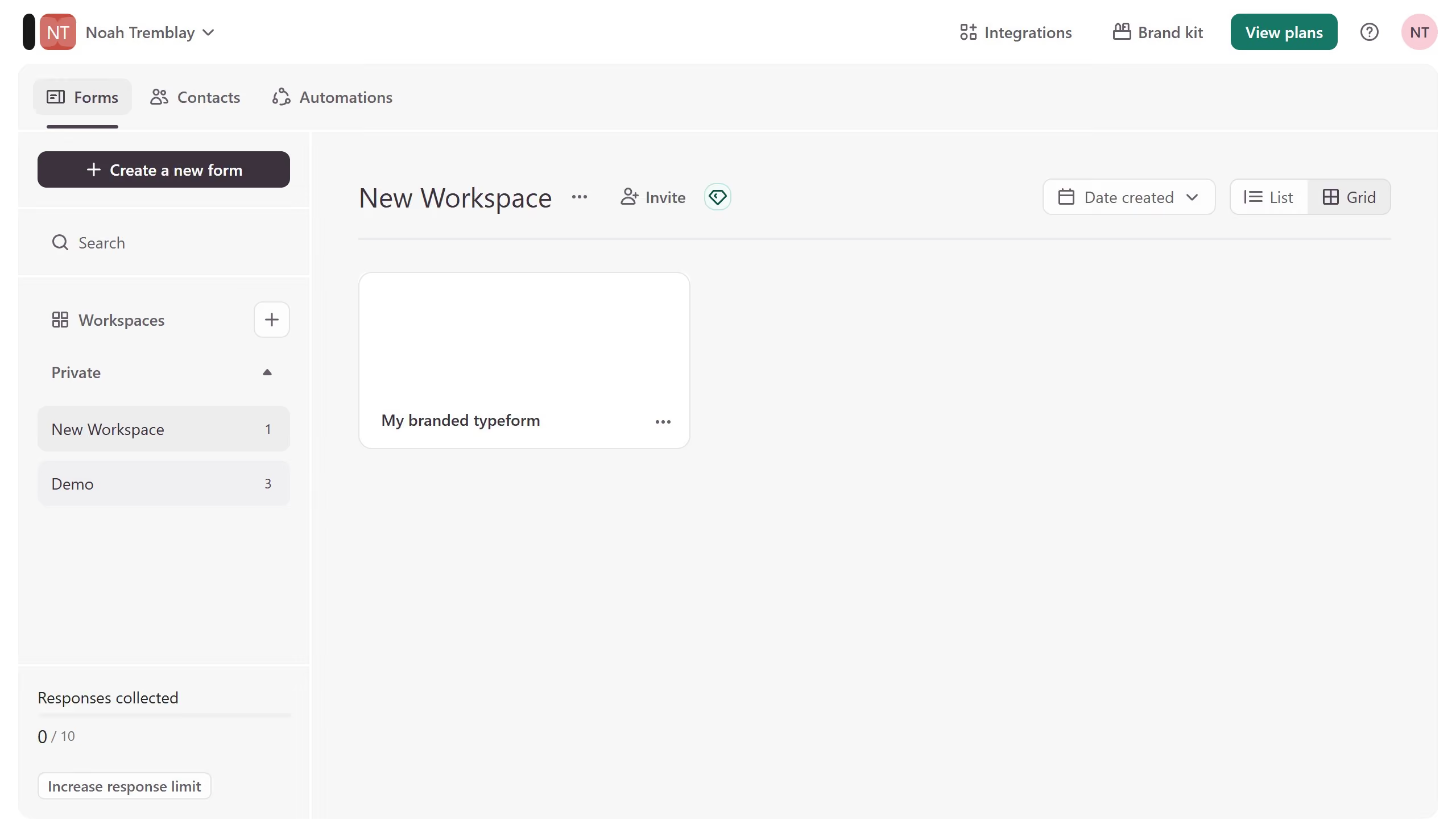
  1. First click on the a workspace item in the sidebar
  2. Then click on the "..." icon next to a chosen Typeform
  3. Then select "Content" from the dropdown menu
  4. Then click on the "+ Add content" button
  5. Finally select "Salesforce" from the "Connect to apps" section

Create your own interactive guide with Guideflow

Why should you add a Salesforce content to a form in Typeform

Typeform is a dynamic tool designed to transform surveys into engaging, interactive experiences.

Integrating Salesforce content into a Typeform adds a seamless dimension of customization and efficiency to any form-building process.

This integration allows for personalized data retrieval, crafting forms that resonate with individual respondents through tailored questions and options.

The result is a more meaningful interaction that enhances user experience and maximizes data quality for businesses using Typeform and Salesforce in tandem.


Last update
July 14, 2026
Cursor MariaA cursor points to a button labeled "James."

Loo oma esimene demo vähem kui 30 sekundiga.