Confluence
Confluence is a team workspace platform for companies to create, organize, and collaborate on documents, project plans, and internal knowledge in one shared place.
Website
Industry
Collaboration
Share this article:

How to remove a shortcut link in Confluence

Here is how to remove a shortcut link in confluence

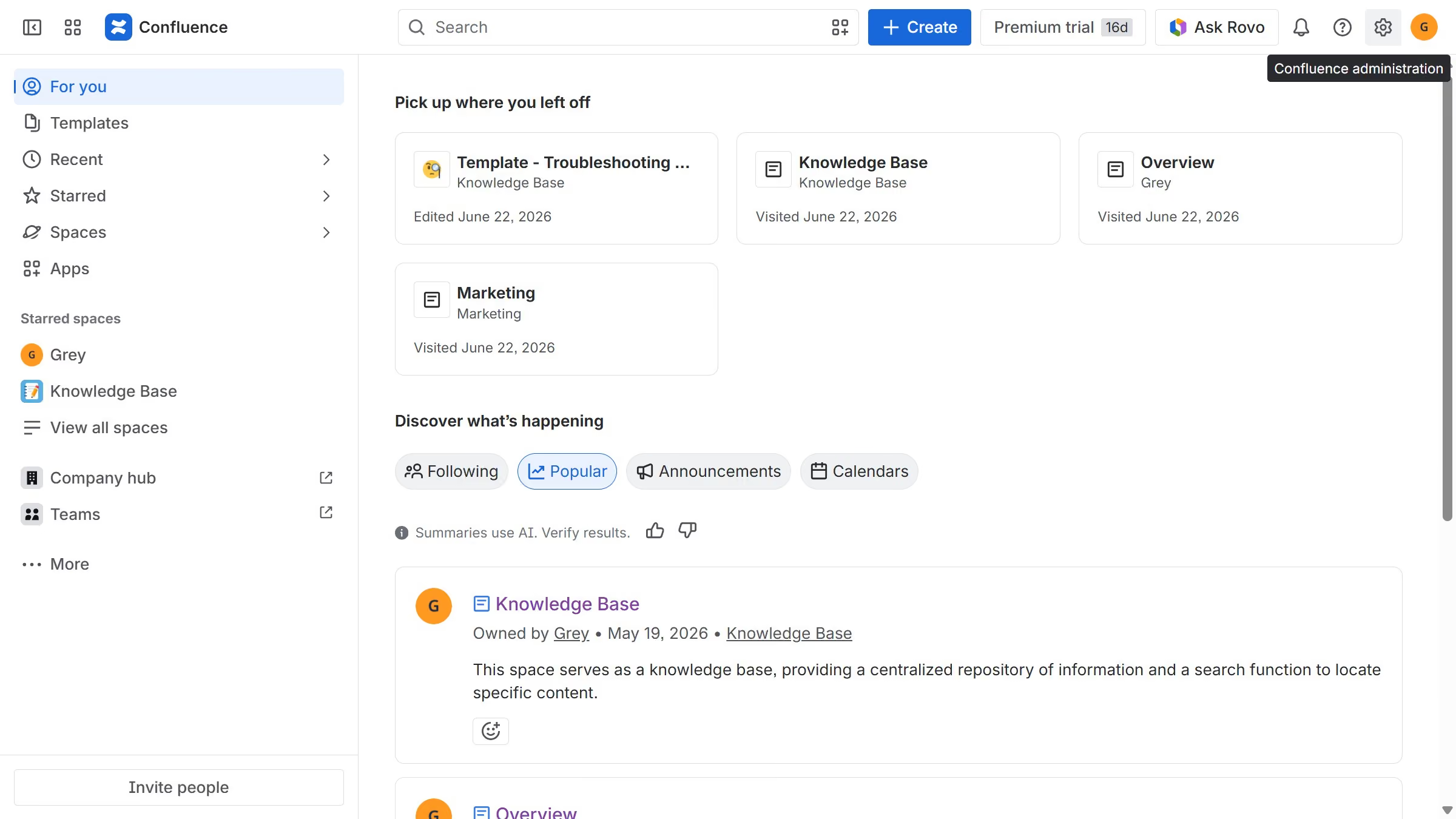
  1. First, click on the gear icon in the header to open Confluence administration
  2. Click on "Configuration" in the left sidebar
  3. Next click on "Shortcut links" in the submenu
  4. Then, locate the shortcut link you want to remove
  5. Finally, click on the "Delete" option next to the shortcut link

Create your own interactive guide with Guideflow

Why should you remove a shortcut link in Confluence

Confluence is a powerful collaboration tool that empowers teams to create, share, and manage content efficiently.

Removing a shortcut link in Confluence is seamless, allowing users to maintain a clean and organized workspace effortlessly. This feature enhances the user experience by ensuring that only relevant and necessary links are displayed, optimizing navigation and productivity.

By tidying up shortcut links, team members can focus on essential tasks and streamline their workflow, leading to increased efficiency and collaboration across projects.

Last update
July 14, 2026
Cursor MariaA cursor points to a button labeled "James."

Loo oma esimene demo vähem kui 30 sekundiga.