Intercom
Intercom is a customer messaging platform that enables businesses to provide live chat, automation, and support.
Website
Industry
Support
Share this article:

How to close inbox message on Intercom

Here is how to close inbox message on intercom

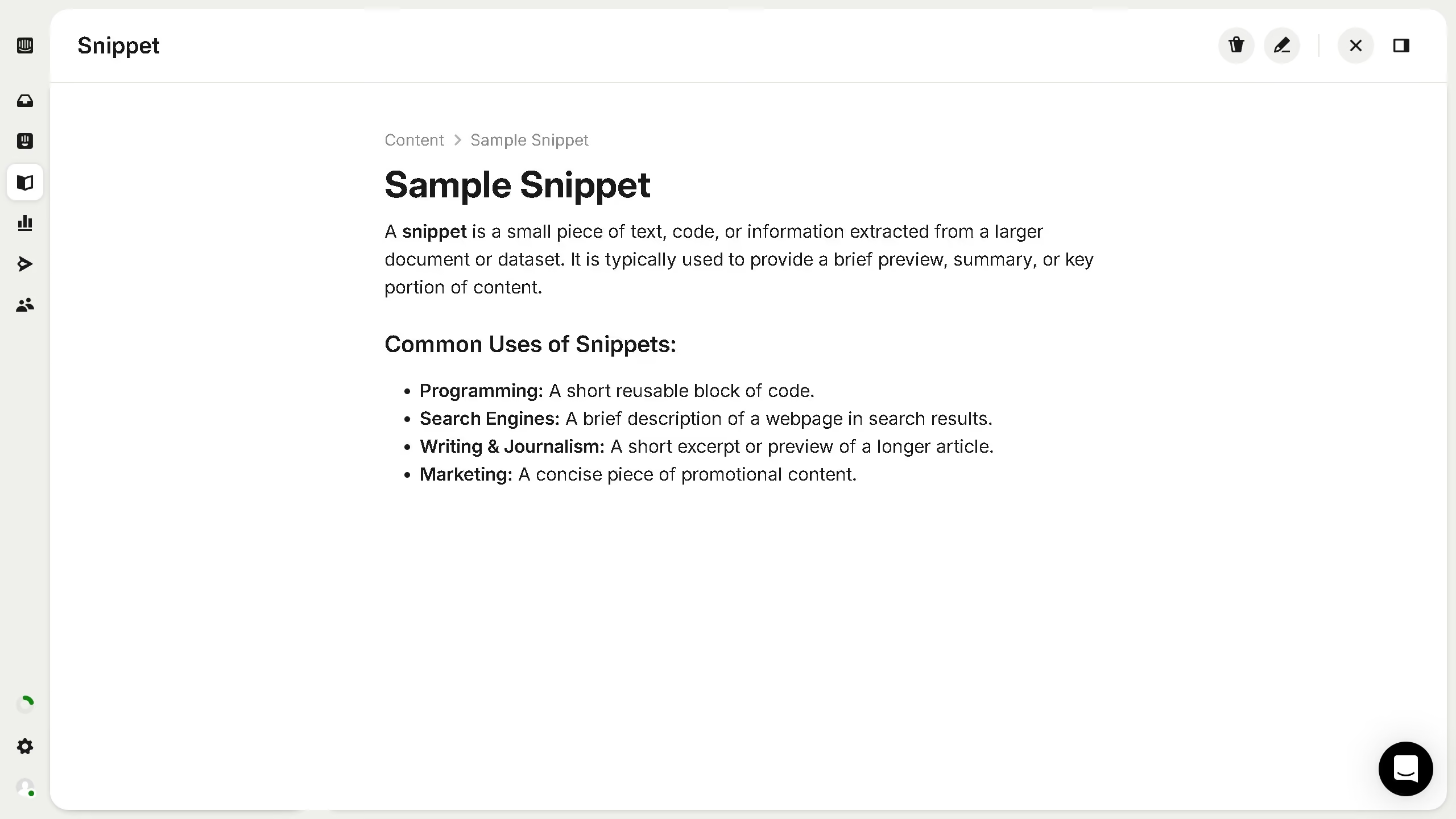
  1. First, click on the "Inbox" tab in the left sidebar
  2. Then, click on the "All" option in the left sidebar
  3. Next, click on the message that you want to manage in the main panel
  4. Finally, click on the close button icon in the top right corner of the popup

Create your own interactive guide with Guideflow

Why should you close inbox message on Intercom

Intercom is a versatile communication platform designed to enhance customer interaction and support.

The feature of closing inbox messages on Intercom is particularly beneficial for maintaining organization and ensuring that no communication is left unresolved.

By efficiently closing messages once an issue is addressed, team members can focus on new tasks, streamlining workflow while enhancing productivity.

This functionality promotes a cleaner, more manageable inbox, reducing clutter and increasing efficiency for better customer service interactions.

Last update
July 14, 2026
Cursor MariaA cursor points to a button labeled "James."

Loo oma esimene demo vähem kui 30 sekundiga.