Confluence
Confluence is a team workspace platform for companies to create, organize, and collaborate on documents, project plans, and internal knowledge in one shared place.
Website
Industry
Collaboration
Share this article:

How to archive an active announcement banner in Confluence

Here is how to archive an active announcement banner in confluence

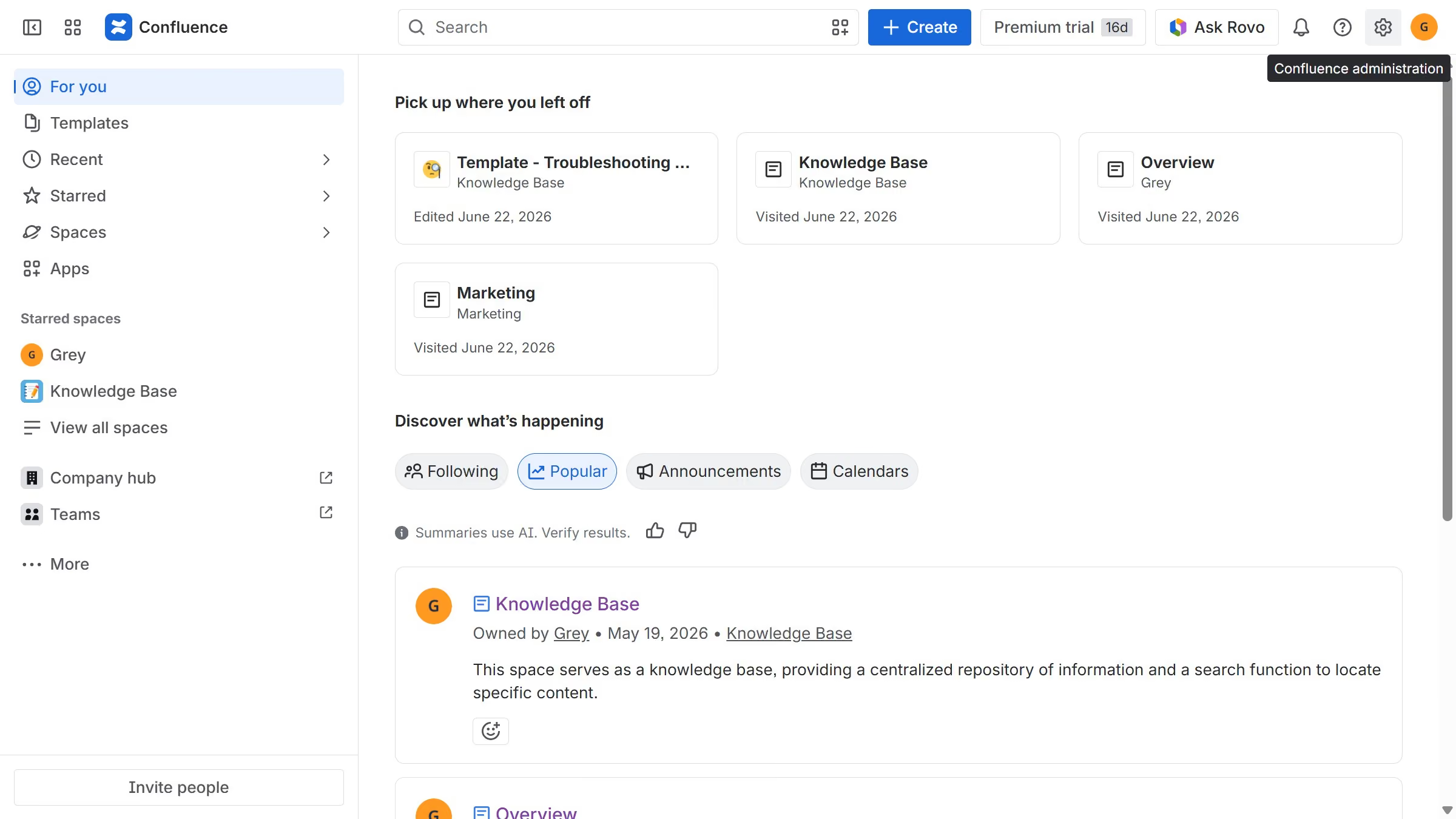
  1. First click on the gear icon in the header to open Confluence administration
  2. Select "Announcements" from the sidebar
  3. Then, locate the active announcement banner you want to archive
  4. Finally, click on the archive icon in the Actions column

Create your own interactive guide with Guideflow

Why should you archive an active announcement banner in Confluence

Confluence is a dynamic team collaboration tool designed to help groups share knowledge and work together seamlessly.

The feature to archive an active announcement banner in Confluence allows users to maintain a clutter-free communication environment. By archiving outdated announcements, teams can ensure that critical updates remain visible and relevant.

This functionality not only streamlines the interface but also supports better organization and focus, keeping essential information front and center while preserving past messages for future reference.

Last update
July 14, 2026
Cursor MariaA cursor points to a button labeled "James."

Loo oma esimene demo vähem kui 30 sekundiga.