Typeform
Typeform is a user-friendly form builder that creates interactive and engaging surveys and questionnaires.
Website
Industry
Form
Share this article:

How to add a Rating content to an existing typeform in Typeform

Here is how to add a rating content to an existing typeform in typeform

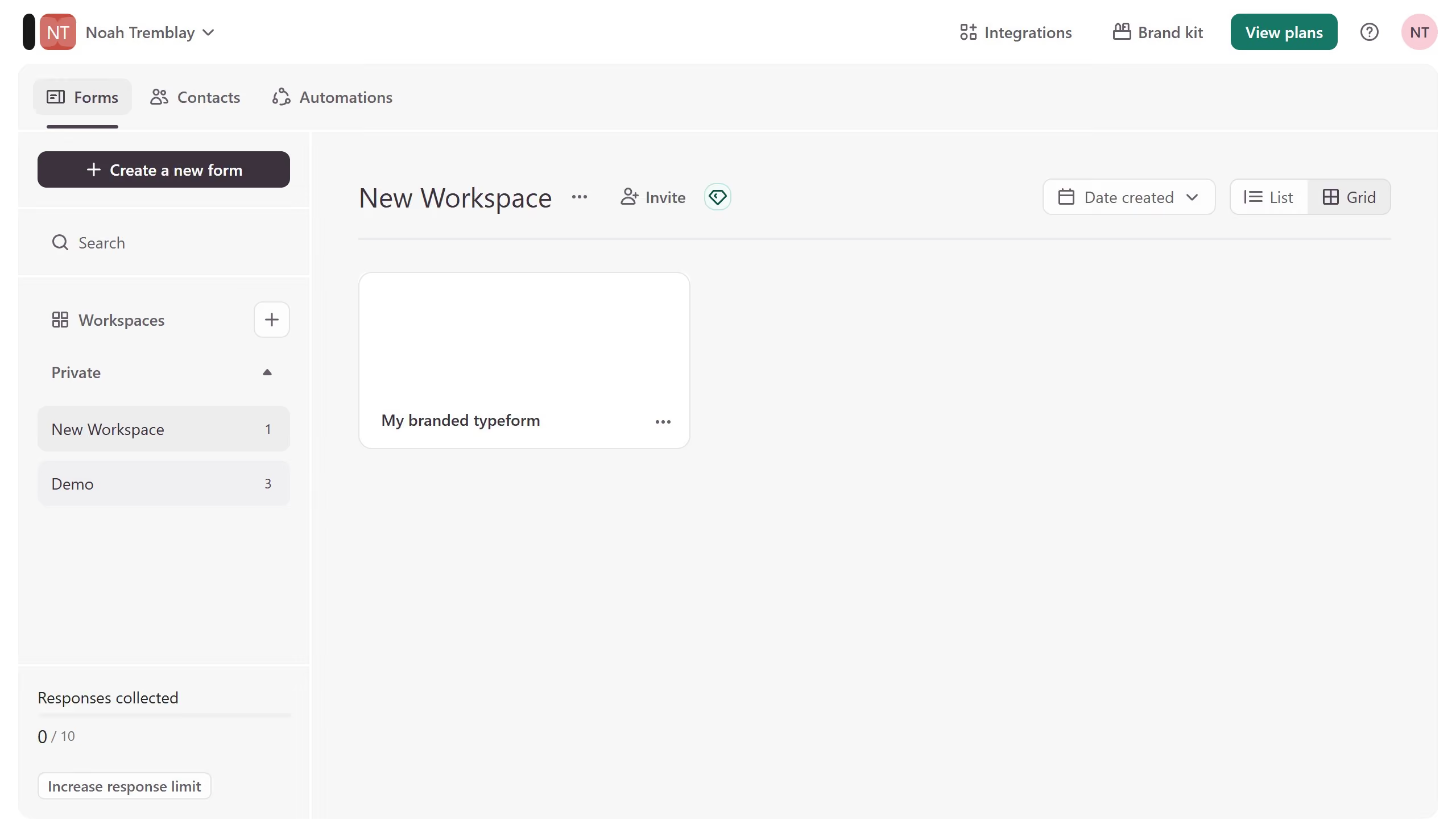
  1. First click on the a workspace item in the sidebar
  2. Then click on the "..." icon next to a chosen Typeform
  3. Then select "Content" from the dropdown menu
  4. Then click on the "+ Add content" button
  5. Finally select "Rating" from the "Rating & ranking" section

Create your own interactive guide with Guideflow

Why should you add a Rating content to an existing typeform in Typeform

Typeform transforms data collection into a more engaging and interactive experience. Adding a rating content to an existing typeform enhances its capacity, offering a simple and intuitive way for respondents to provide valuable feedback.

With ratings, participants can quickly express their opinions or levels of satisfaction, streamlining the response process. This feature makes it easy to gather nuanced insights, offering a more comprehensive understanding of audience preferences.

Incorporating ratings can significantly elevate the quality of responses, leading to better decision-making and more targeted actions.


Last update
July 14, 2026
Cursor MariaA cursor points to a button labeled "James."

Loo oma esimene demo vähem kui 30 sekundiga.